


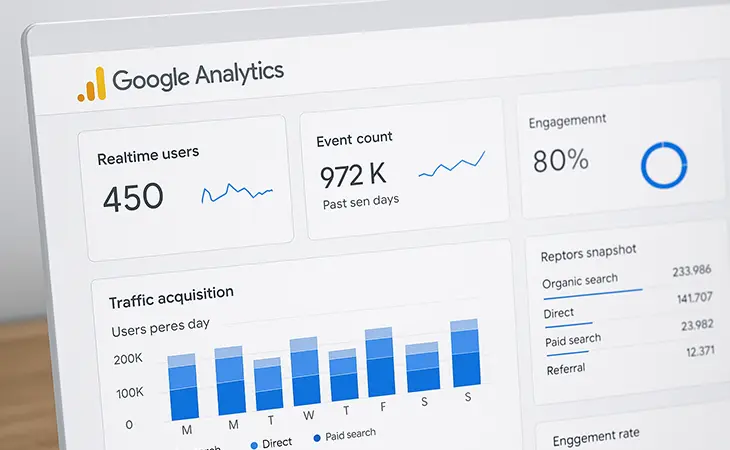
Google Analytics 4 for small businesses isn’t about vanity metrics, it’s about actionable data. If you’re running a business and relying on instinct or surface-level numbers, you’re missing the real picture.
GA4 can give you the information you need to improve conversions, identify drop-off points, and understand user behavior, but only if you configure it properly and know what to look for.
Let’s cut the noise. Here’s what small businesses actually need to track in GA4 in 2025, and how to make sense of it.
1: Set Up the Right Data Streams
Before we talk metrics, make sure your GA4 property is installed correctly:
-
Add both Web and App streams (if applicable)
-
Use Google Tag Manager for flexible event tracking
-
Connect Google Search Console and Google Ads
-
Enable Enhanced Measurement for scrolls, outbound clicks, site search, video views, and file downloads
2: Focus on Events-Not Pageviews
GA4 is event-based. That means instead of obsessing over pageviews, you should be tracking:
-
form_submit: Are users contacting you?
-
click_to_call: Are they clicking your phone number?
-
scroll_depth: Are they engaging with long-form content?
-
button_click: Are your CTAs doing their job?
3: Monitor Engagement Rate (Instead of Bounce Rate)
GA4 replaced bounce rate with engagement rate, a more accurate metric in today’s mobile-first world. It tracks users who:
-
Stay on site >10 seconds
-
View 2+ pages
-
Trigger a conversion event
4: Track Key Conversions That Align With Business Goals
Conversions in GA4 are manually assigned. Here’s what most small businesses should configure:
-
Contact form submissions
-
Phone clicks
-
Quote requests
-
Newsletter signups
-
Add to cart + Purchase (if e-commerce)
To set these up, navigate to Admin > Events > Mark as conversion. Then use Exploration Reports to analyze user behavior before they convert.
Pro tip: Don’t track “pageview” or “session start” as conversions. That’s noise, not insight.
5: Use Source/Medium + Landing Page to Understand Traffic Quality
You’re not just trying to get traffic, you’re trying to get qualified traffic.
GA4 lets you filter by:
-
Source/Medium (e.g., google/organic, facebook/cpc)
-
Landing page (e.g., /roofing-miami, /tax-consultation)
-
Device category (desktop, mobile, tablet)
-
Location (city-level for local businesses)
Cross-reference this data with engagement rate and conversions. If Instagram traffic bounces and Google traffic converts? You know where to shift your effort.
6: Use Funnel Explorations to Identify Drop-Off Points
GA4’s Funnel Exploration is one of its most powerful (and underused) tools.
Use it to visualize:
-
Page 1: Homepage
-
Page 2: Service page
-
Page 3: Quote form
-
Conversion: Form submit
If 75% drop off between steps 2 and 3, that’s your bottleneck. Maybe the service page doesn’t match the ad copy. Maybe the quote form’s too long. Either way, now you know where to look.
7: Schedule Automated Reports (So You Actually Use the Data)
Data is useless if it sits in your dashboard untouched.
Here’s what we recommend:
-
Create a custom Looker Studio report (connected to GA4)
-
Set it to email you weekly or monthly
-
Focus on your 5 most important KPIs
-
Include annotations for changes (new campaigns, site redesign, etc.)
Need a done-for-you version of this? We build GA4 reports tailored for small business owners who want the truth without spending their whole day in a dashboard.
Final Thoughts
Google Analytics 4 for small businesses doesn’t have to be intimidating-but it does require intention. Tracking the wrong data wastes time. Not tracking anything? Even worse.
Set up your GA4 to answer questions that matter:
-
How are people finding me?
-
What’s working?
-
Where are they dropping off?
-
What can I do about it?
The better you understand what’s happening on your site, the better decisions you’ll make – simple as that.
Further Reading
If you want to dig deeper into Google Analytics 4 for small businesses, these resources break down the essentials in more detail, from event setup to reporting clarity.
- Google Analytics Help – Set Up and Use Google Analytics 4
- Analytics Mania – Beginner’s Guide to Google Analytics 4
- MeasureSchool – GA4 Tracking for Small Businesses
Ready to Fix Your Website for Good?
Let’s Grow Your Business Online
From websites to automation, we’ve helped 100+ business owners grow online
Book Your Free Strategy Call